Atlas Finance
Concept study: a conversion-focused landing page built to explain complex financial products in a simple, approachable way
- Category
- Fintech
- Year
- 2025
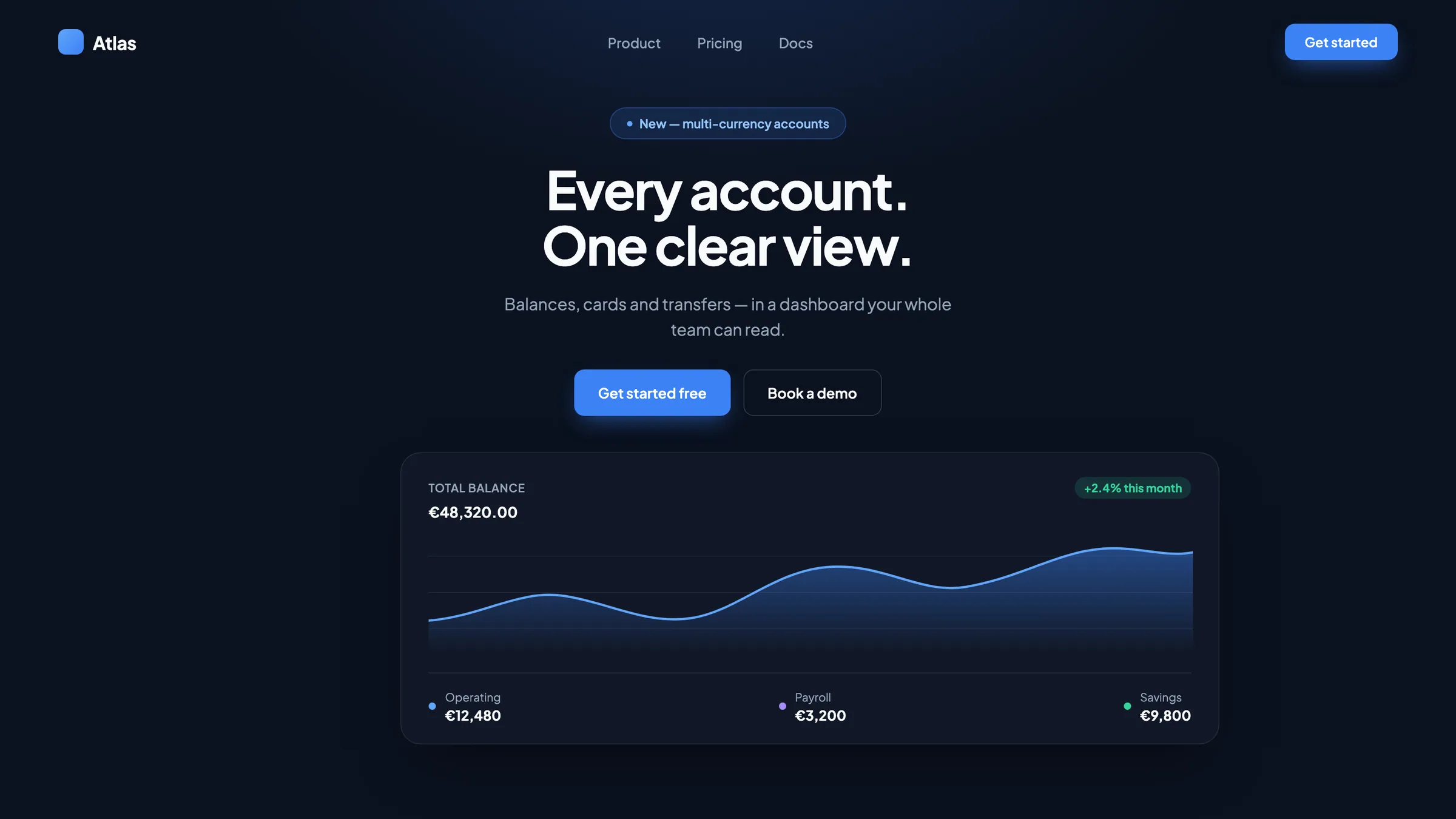
A complex product, explained in one scroll
A concept — and the brief is mine: take the kind of financial product that usually takes a demo to understand and explain it on one page a first-time visitor reads
The rule I set for the exercise: no section exists to look thorough. If a block doesn't move the visitor closer to «this is for me» — it's out
Before this, a finance lead had to open three tools to answer one question: how much money do we actually have right now? Operating account in one tab, payroll in another, a spreadsheet stitching it together
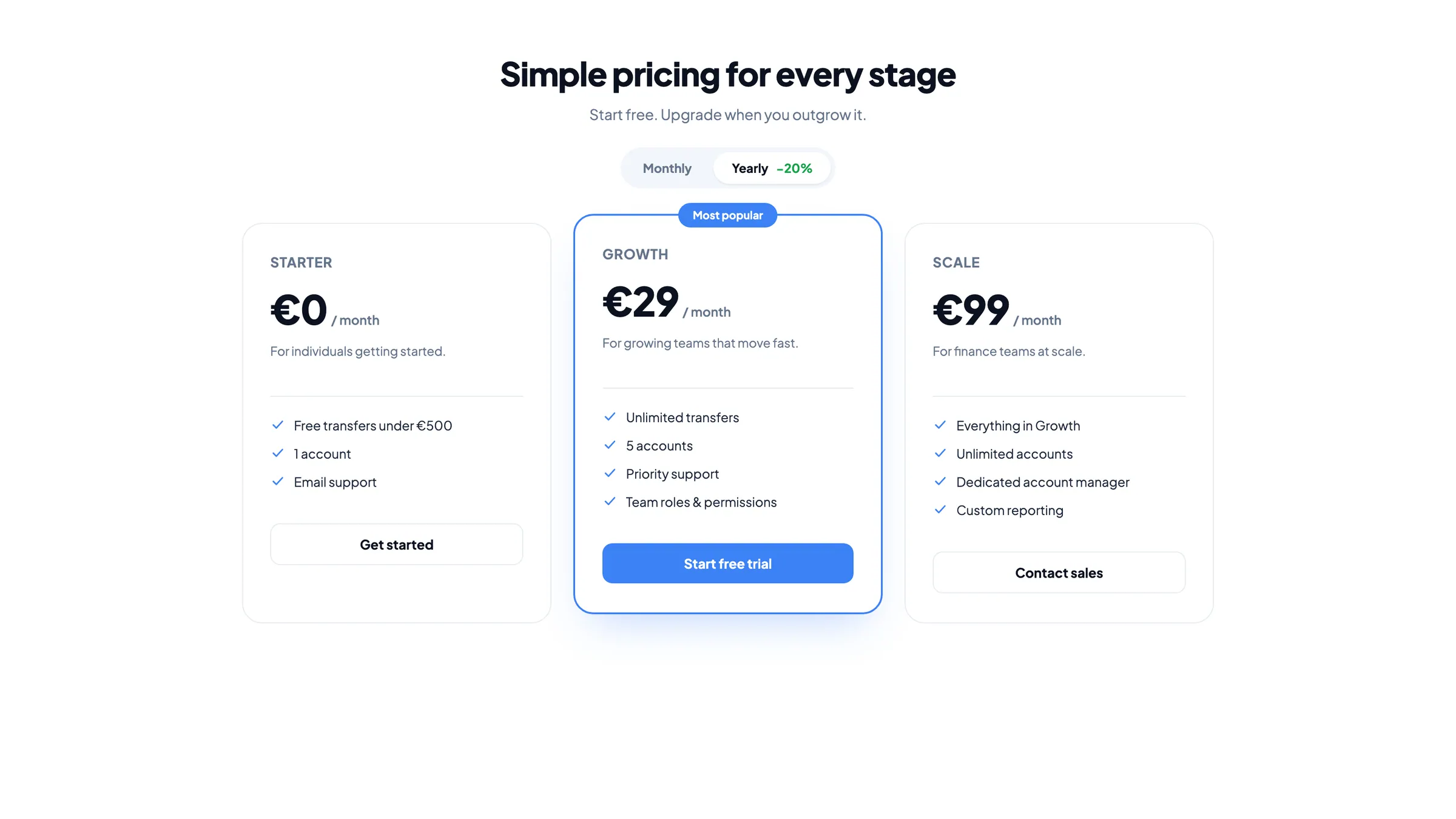
The pricing page didn't help either — three plans, a wall of text, and no obvious answer to “which one is actually for a team my size?”
So how do you make a balance sheet feel like a single number?
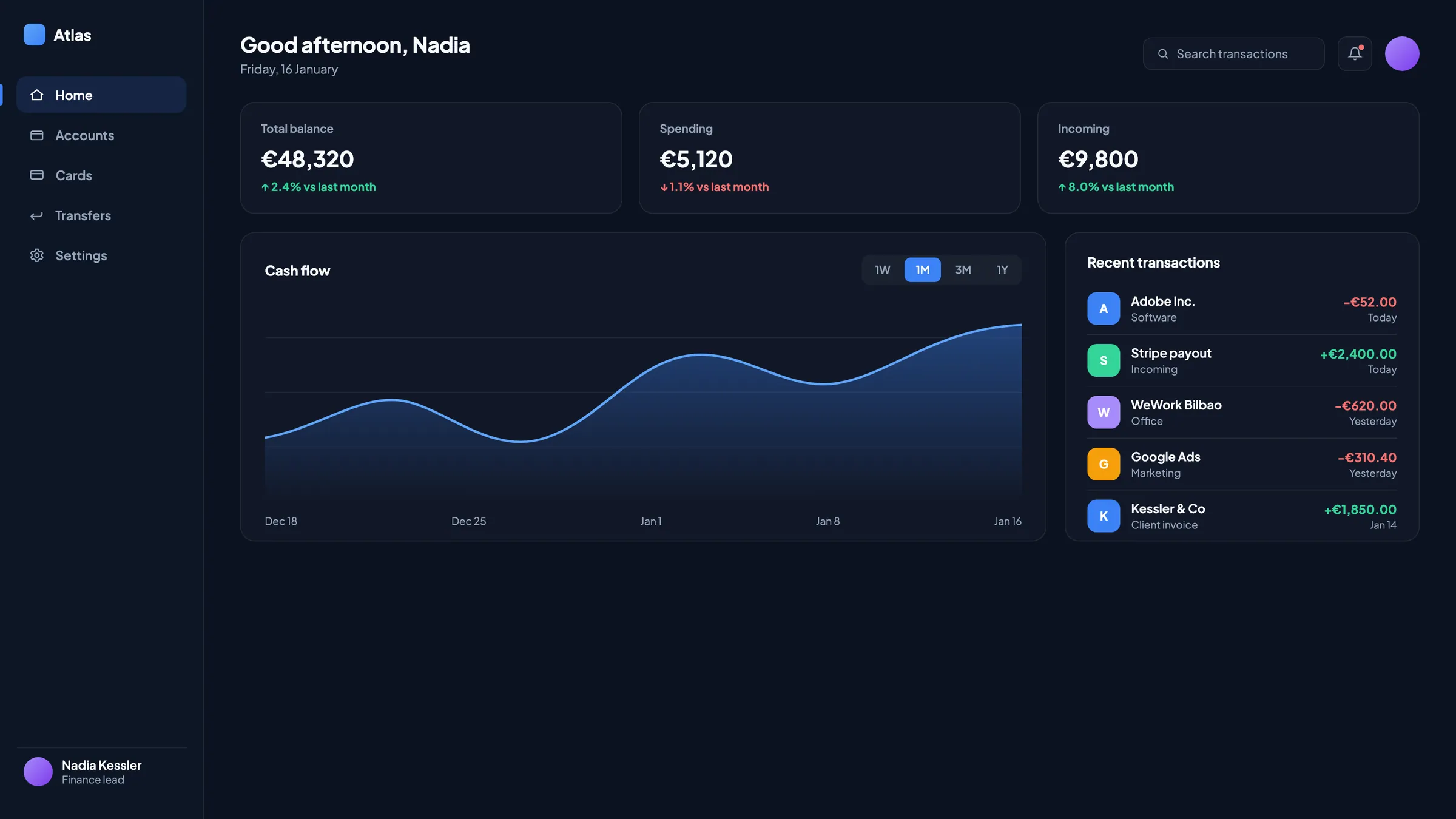
One number first, detail on demand
- A single total-balance figure at the top of the dashboard, with the trend line right behind it — the answer before the question
- Cash flow chart plus a transaction list side by side, so a spike in spending is one glance from its cause
- Pricing reduced to three cards and one highlighted “most popular” — no feature matrix to decode
- A dark, data-dense UI for the product; light, spacious pages for anything explaining or selling it
What this concept shows: a conversion landing page with simple storytelling
I structured the page as one story: each section answers the next question and hands the visitor to the next step
The dashboard leads with one number — total balance — where three tools and a spreadsheet used to be needed for the same answer. Pricing dropped from a wall of text to three cards with one clear pick. Built in Framer, so the client swaps copy and tests messaging without touching code. One scroll, one story: by the last section the visitor knows what Atlas Finance does and what to click
This is a self-initiated concept — the brief is mine, there was no client. What you're looking at is how I approach this kind of problem, end to end
Want a site like this with an AI assistant?
See the packages